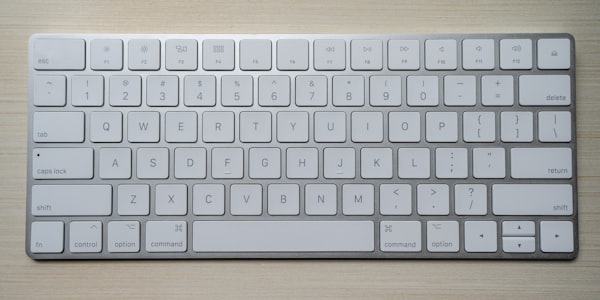
How keyboard sharing works
CursorHop links your keyboard input to your mouse position. When your cursor moves to another computer's screen, your keyboard input automatically follows. Every keystroke is captured at the OS level, serialized, and transmitted over your local network to whichever machine currently has cursor focus.
The switch is instant — under 5 milliseconds on a wired connection. There is no perceptible lag between pressing a key and seeing the character appear on the target computer. It feels exactly like typing on a local keyboard.
Keyboard follows mouse automatically
There is no shortcut to press, no button to click, and no mode to toggle. The moment your cursor crosses to a different screen, keyboard focus moves with it. This "follows mouse" model means you never accidentally type into the wrong machine.
Modifier key mapping
Switching between macOS and Windows means dealing with different modifier keys. CursorHop handles this automatically. When you move from a Mac to a PC, Command is mapped to Ctrl. Option maps to Alt. Going the other direction, the reverse applies. Shortcuts like Cmd+C on Mac become Ctrl+C on Windows without you thinking about it.
Works with any keyboard
CursorHop hooks into the operating system's input pipeline, not specific hardware. Mechanical keyboards, membrane keyboards, laptop keyboards, Bluetooth keyboards, ergonomic split keyboards — they all work. If your OS recognizes the keyboard, CursorHop can share it.
Why not a hardware KVM?
Hardware KVM switches require you to press a button or key combination to change which computer receives your input. This interrupts your workflow every time you switch. CursorHop eliminates that friction entirely — just move your mouse and start typing. No cables, no switching delay, no desk clutter.
Every key layout supported
CursorHop transmits raw key codes, which the receiving operating system interprets according to its own keyboard layout settings. This means QWERTY, AZERTY, Dvorak, Colemak, and international layouts all work correctly. Each computer uses its own configured layout.
Keyboard sharing across plans
Keyboard sharing is available on every plan, including the free trial. The free trial includes full Pro features for up to 2 computers. Pro Plus supports 5 computers, and Max supports up to 10. All keyboard input is encrypted with Noise protocol across all plans — important when typing passwords or sensitive data.